Timesheet PDF, in one click.
Drop your Timex file and this timesheet generator builds a print-quality PDF — summary, daily breakdown, top apps, every session. Set an hourly rate to get a billable amount per day, ready to attach as a timesheet invoice. The .sqlite stays on your Mac; send only the PDF to a client.
Drop your timex.sqlite or .zip here
Both work — the .zip from "Export your data" is unzipped in your browser. How do I export?
Both sql.js (~660 KB) and jsPDF (~340 KB) download once and are cached.
Where do I get my Timex file?
- 1 Open Timex on your Mac and click the gear icon in the bottom tab bar.

- 2 Scroll to "Database" and click "Export…"— Timex writes a small
.zipwrapping a singletimex.sqlitefile.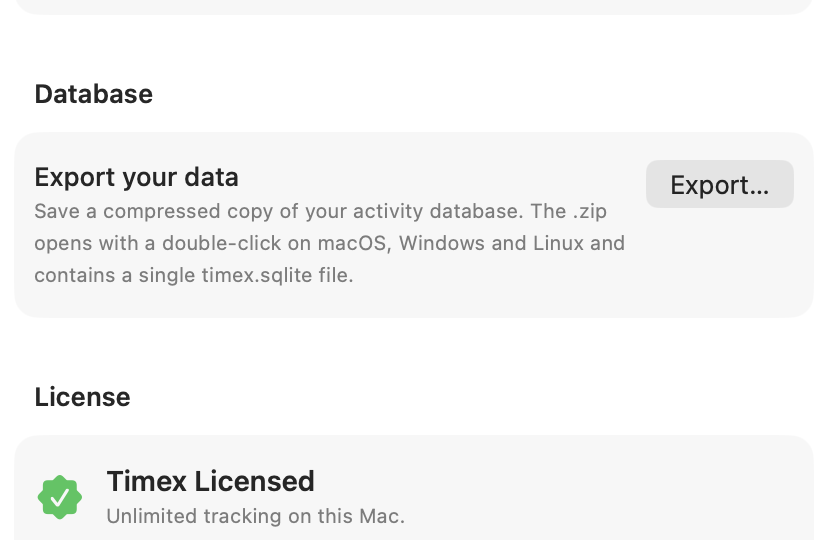
- 3 Drop the .zip on this page. The Export route is the right one — it uses SQLite's
VACUUM INTO
Advanced: the live file is at ~/Library/Application Support/io.muvon.timex/timex.sqlite if you'd rather open it directly.
Nothing uploaded. Your file stays in this browser tab. If you don't have Timex yet, use the "Open demo data"