
Time is not effort. Ninety minutes debugging a race and ninety minutes waiting for a build occupy the same space on a timeline, but they don't take the same thing out of you. Timex has always been able to tell me where the hours went. It couldn't tell me how much demanding work I'd probably spent to get through them.
Timex 1.5.0 adds Energy: a 0–100 estimate of how much demanding work is left today. It's an allowance, not a health measurement. It doesn't read your body, diagnose fatigue, or know whether you're having a good day. It takes the activity Timex already records, applies a small set of visible rules, and gives the result back to you.

The default capacity is four hours of demanding work a day, adjustable from two to six hours. Four hours comes from Ericsson's deliberate-practice ceiling. Wiehler's 2022 work on glutamate build-up offers a plausible mechanism for why sustained cognitive control gets harder. Neither paper gives Timex a personal battery gauge. The number is a budget built from those constraints, and you can change it.
What spends the allowance
Each category now has a cognitive load: Light, Moderate, or High. Light doesn't count against Energy, Moderate counts at half, and High counts in full. Development starts as High. Entertainment and System start as Light. Everything else starts as Moderate. These are defaults, not judgments, and you can edit them.
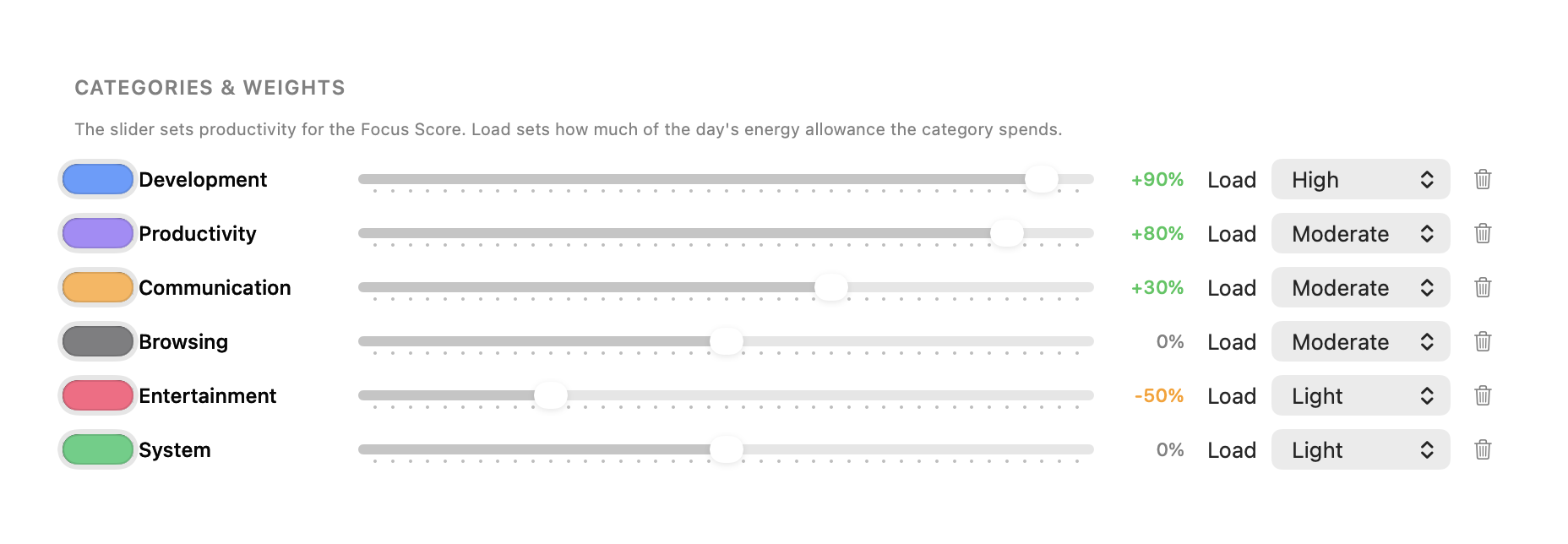
Calls are the exception. When any app is using the microphone, that time always counts as High because a meeting is externally paced. You can't pause the other person while you catch up. This applies regardless of the category assigned to the app.
Screen time with no key, mouse, or scroll input for more than 30 seconds counts at half. That's what stops an agent wait or a build from draining the allowance like debugging does. Timex still can't tell reading from waiting, so the rule is deliberately simple. Typing speed isn't a factor. Comprehension is the heavy part; typing is the light part, and counting keystrokes would reward the wrong thing.
The daily budget and the current stretch
Energy has two parts. The allowance is what you have for the day. Stretch fatigue is the cost of doing demanding work without enough time away from the screen.
Stretch fatigue adds up to 15 points over about 90 demanding minutes. While you're away from the screen it fades with a 10-minute half-life: about 29% back after 5 minutes, 50% after 10, and 75% after 20. A break can clear the current stretch. It never refills the daily allowance. That distinction matters. Lunch may make the afternoon easier, but it doesn't turn four demanding morning hours into unused capacity.
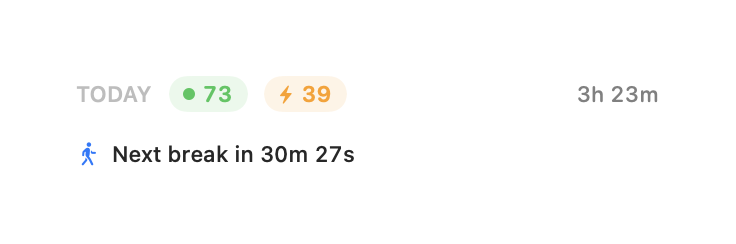
There are two Energy nudges. One appears after 90 demanding minutes without a 10-minute break. The other appears when the daily allowance is used. Both wait for a task boundary: an app switch or a minute's pause, at most 10 minutes late. That follows the interruption finding from Iqbal and Bailey 2008. Each nudge has its own toggle and both are on by default. Timex asks for notification permission when you enable something that needs it, not at launch.
The ordinary break reminder now defaults to 5 minutes every 30 minutes. Duran et al. 2023 is the strongest evidence behind any interval in the app, so 30 replaces the old default. You can still choose a different cadence.
Tell Timex what an away gap was
Being away from the screen is observable. Recovery is not. Timex now lets you label one of today's away slots as Walk, Workout, Nap, or Rest. Pick the slot, trim it on one bar, then confirm.
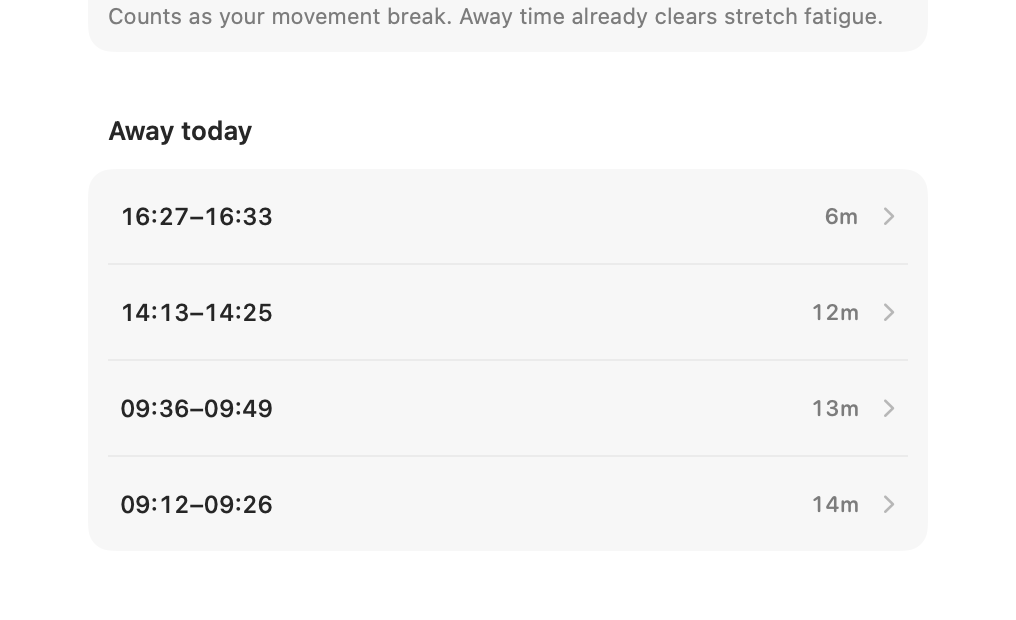
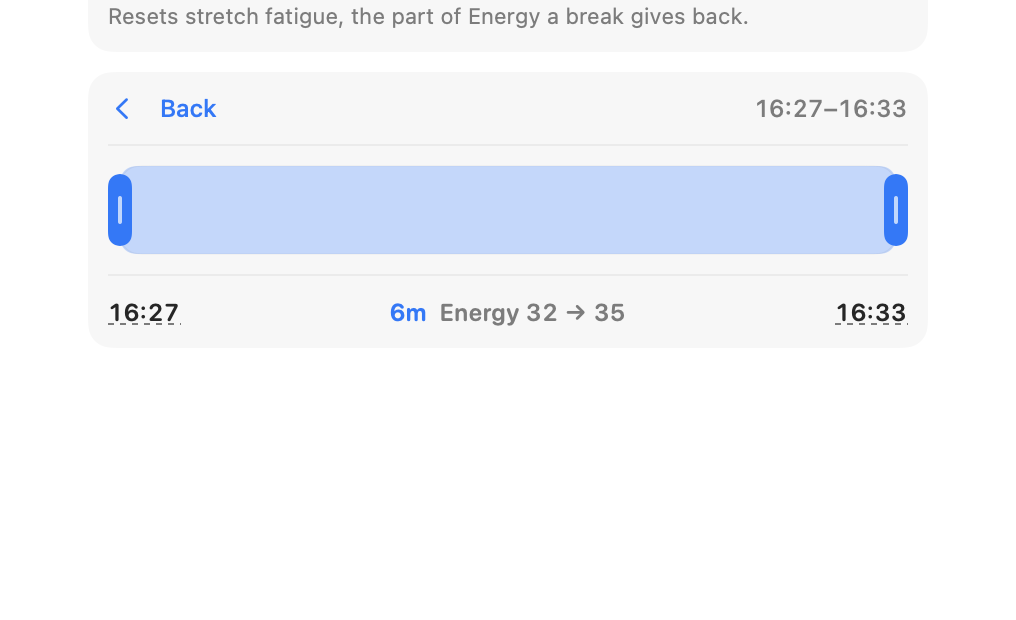
A Nap resets stretch fatigue, based on Brooks and Lack 2006. A Workout adds 10 minutes of daily capacity, up to three times a day, following the exercise-snack evidence. A Walk counts as your movement break. Rest records the gap without claiming more than that. When you return, the menu-bar popover can offer one tap: “Away 25m · what was it?”
An away gap doesn't prove you rested. You may have been carrying groceries, settling an argument, or staring at another screen. Timex leaves the slot unlabeled until you say what happened.
Yesterday can reduce today, but not forever
Minutes spent past the daily ceiling carry forward as debt. They reduce the next days' capacity, halving each day, with a floor at half of your configured capacity. A weekend quarters the debt. A week away clears it. The aim is to represent a hard day without letting one late night condemn the rest of the month.
The multi-day view also shows weekly screen hours. It turns amber from 50 hours. Pencavel found output falling as long weeks grew longer; the WHO/ILO threshold associates 55-hour weeks with harm. Amber at 50 is an early marker, not a diagnosis and not a claim that hour 49 is safe while hour 50 is dangerous.
First run and MCP
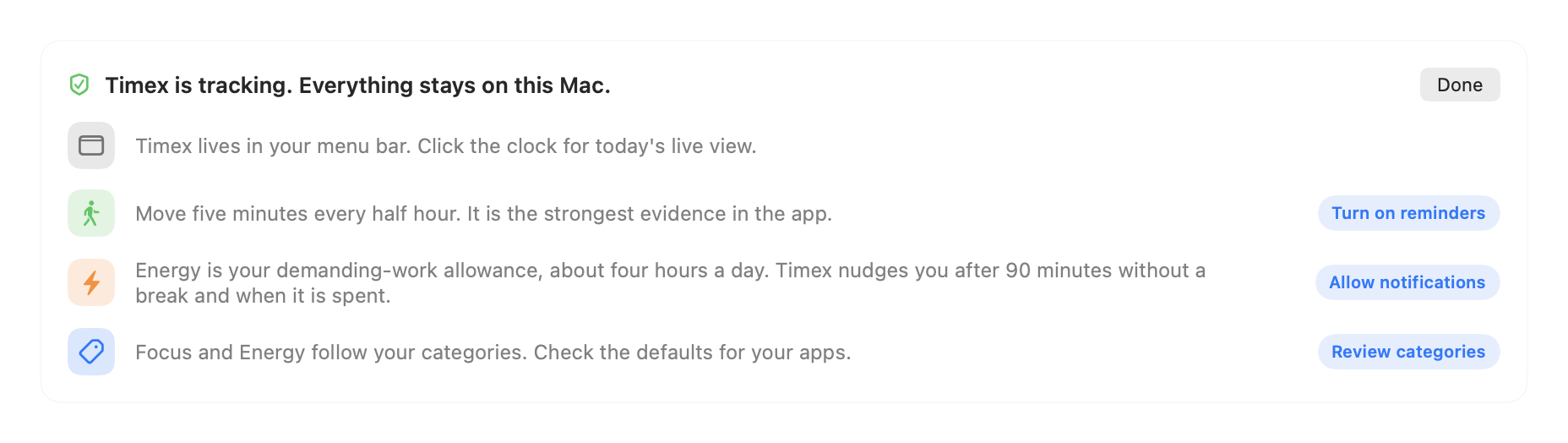
There's a dismissable Getting started card with four rows: menu bar, breaks, Energy, and categories. It's there because Energy needs two settings to make sense — capacity and category load — and hiding both inside Settings would make the first number look more certain than it is.
The same data is available through MCP. get_summary now returns Energy score, spent time, capacity, stretch fatigue, calls, passive time, recovery, and debt minutes. Categories accept a cognitive load, and there's a new log_recovery tool. An AI client gets the same estimate and the same limits as the interface; it doesn't get a hidden interpretation layer.
Numbers the research does not give
The research doesn't hand me the constants needed to ship a working model. It doesn't say that your capacity is exactly 240 minutes, that a demanding block is exactly 90 minutes, or that stretch fatigue should have a 10-minute half-life and a 15-point ceiling. It doesn't say a workout is worth exactly 10 minutes, capped at three a day. It doesn't say passive time should count at half after 30 seconds, or that debt should halve after one day and stop reducing capacity at 50%.
Those are assumptions. They're labeled as assumptions in the code. I chose values that make the model legible and conservative enough to use, not values that have been clinically validated for each person.
The plan is to calibrate them per user from two one-tap ratings at the end of each day. That's not shipped yet. In 1.5.0, changing the two-to-six-hour capacity and correcting category loads are the available controls.
What Energy cannot know
Timex can't tell reading from waiting. The 30-second passive rule reduces the cost of quiet screen time, but a dense paper and an agent run with the same input pattern still look alike.
An away gap is not proof of rest. Recovery only enters the model when you label it. The multi-day chart also doesn't subtract recovery that overlapped tracked time, so those weekly screen totals can include time that a recovery entry describes.
Energy is therefore an estimate of a budget, not a measurement of you. I find it useful when it helps me decide whether the next hard task belongs today or tomorrow. If the score disagrees with how I feel, the score is the thing that's wrong.
Timex 1.5.0 keeps all of this in the same local SQLite file as the rest of your activity. No account, no telemetry, no health claim. Timex requires macOS 15 or later and Apple Silicon. If that's your Mac, download the latest version.
— DK